
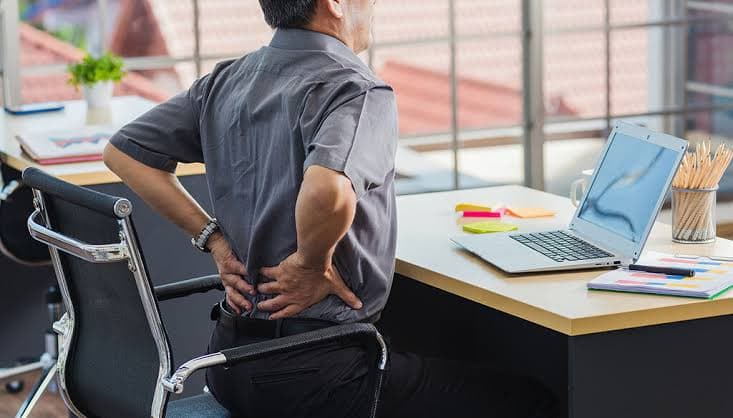
Long hours at a desk do not have to mean a sore low back at the end of the day. With a few simple changes to your chair, monitor, and keyboard, you can take a lot of pressure off your spine and make work feel easier on your body.
Many people around Rio Rancho notice their back acts up as work schedules get busier again. More emails, more meetings, and more time sitting can wake up old back issues or start new ones. Our goal here is to walk you through a clear ergonomics checklist, give you quick self-tests you can do right at your desk, and help you know when it is time to see a back pain doctor in Rio Rancho for more targeted help.
Why Your Low Back Hates Your Desk Setup
Your low back is built to move. When you sit for hours, especially in a slouched or twisted position, the spine, muscles, and nerves all start to complain.
Here is what often happens during long desk days:
- The spine stays in a flexed, rounded shape, which can strain the discs and joints
- The glute muscles stay “off” and get weaker over time
- The hip flexors in the front of the hips get tight from being bent all day
- The low back can feel compressed and stiff when you finally stand
Common desk-job back pain patterns include:
- A dull ache across the beltline after sitting a while
- A sharp or grabbing pain when you first stand up from your chair
- Stiffness on cooler mornings or when the office AC is blasting
- Needing a few minutes of walking before your back “loosens up”
These patterns can also spread to other areas. A forward head and rounded shoulders can lead to neck pain or headaches. Tightness and irritation around the lower spine can trigger sciatic-type pain, where discomfort travels into the hip or leg. This is why it helps to think about the full spine and nervous system, not just one sore spot.
Chair and Sitting Position Checklist for Your Spine
Your chair is the base of your whole setup. If it is off, everything above it has to work harder.
Use this checklist to adjust your chair height:
- Feet flat on the floor, or on a stable footrest if needed
- Knees level with or slightly below your hips
- Thighs supported along the seat, without the front edge pressing into the back of your knees
- Weight spread across both hips, not shifted to one side
For your backrest and lumbar support:
- Sit all the way back, so your hips touch the back of the chair
- Keep a gentle curve in your low back, not pushed flat or rounded out
- Use a small cushion or rolled towel at your beltline if your chair does not support your low back
- Set the backrest recline to about 95 to 110 degrees, just slightly leaned back instead of straight upright
Quick self-tests to see if your low back is doing too much work:
- Slouch test: Sit tall, then slowly relax into your usual posture. If your low back drops and your shoulders roll forward, your muscles are likely overworking all day.
- Two-minute sit test: Sit in your “new” posture. If you feel strain within two minutes, you probably need better support or a small lumbar roll.
- End-of-day pattern: Notice where you feel sore after work. Is it a general ache across the low back, or sharp pain on one side? Patterns like these can point to specific joints or muscles that may need more than just a chair fix.
When indoor and outdoor temperatures shift, tight muscles can feel even tighter. Short, gentle movement breaks during the day help your back handle cooler air and long sitting much better than simply bundling up and staying still.
Monitor and Keyboard Tweaks to Protect Your Low Back
Your monitor and keyboard might not seem connected to your low back, but they are. If they are too low, too high, or too far, your head and shoulders will lean forward, and your low back will follow.
Monitor tips:
- Top of the screen at or just below eye level
- Center of the screen straight in front of your nose, not off to one side
- About an arm's length away, so you are not squinting or leaning in
Keyboard and mouse setup:
- Elbows at about 90 to 110 degrees, relaxed by your sides
- Wrists in a neutral position, not bent up or down
- Keyboard and mouse close enough that you can keep your arms in close, without reaching or twisting from your low back
Try this quick posture self-test at your desk:
- Scoot your hips all the way back in the chair.
- Sit tall and gently draw your shoulder blades back and down.
- Look straight ahead. Check if your ear, shoulder, and hip line up in a straight line from the side.
- Hold this position, then relax just a little so it feels natural, not rigid.
Do a 30-second reset like this several times a day. It trains your body to find a better default posture.
Simple Movement Breaks That Reset Your Low Back
Even the best desk setup cannot replace movement. Your spine needs regular motion, like a “reset” button for stiff joints and tight muscles.
Time-based strategies:
- Stand up every 30 to 45 minutes
- Take 1 to 2 minutes to walk to the printer, restroom, or simply around your chair
- Use calendar reminders, phone alarms, or sticky notes to remind yourself when the day gets busy
Here are a few simple moves you can do at your desk:
- Standing back extension: Stand, place your hands on your hips, and gently lean your upper body backward a little, hold for a few seconds, repeat 5 to 10 times.
- Hip flexor stretch: Stand facing your desk, step one foot back, bend the front knee, and gently shift your weight forward until you feel a stretch in the front of the back hip. Hold 20 to 30 seconds each side.
- Seated figure-4 stretch: Sit tall, cross one ankle over the opposite knee, and gently lean forward from your hips until you feel a stretch in your hip and glute.
- Gentle core brace: Sitting or standing, lightly draw your belly toward your spine while breathing normally, hold 5 to 10 seconds, repeat a few times.
Self-tests for stiffness and asymmetry:
- One-leg balance: Stand near a desk or wall, lift one foot, and see how long you can balance with light support. Compare both sides.
- Forward bend comfort check: With knees slightly bent, slowly bend forward and notice if one side of your low back feels tighter or pulls more.
- Warm-up time: After you stand from your chair, notice how long it takes before your back feels “normal.” If it takes longer and longer, that can be a sign your spine needs more help.
When Ergonomics Is Not Enough and You Need Help
Ergonomics and movement breaks are very helpful, but they do not fix every problem. Sometimes the pain is coming from irritated joints, nerves, or long-standing movement issues that go deeper than your chair.
Signs that desk changes alone might not be enough include:
- Pain that wakes you up at night
- Pain that travels into your hip, thigh, or leg
- Increasing stiffness that is not improving with breaks
- Trouble standing or walking for normal daily distances
A back pain doctor in Rio Rancho can look beyond the desk setup and check how your spine, nerves, and muscles are actually working. That can include evaluating how well each part of the spine moves, how the nerves are functioning, and how your hips, core, and posture work together when you sit, stand, and walk.
At Synergy Spine & Nerve Center, we focus on evidence-based chiropractic care and medical massage for spine, nerve, joint, and headache-related conditions. Good ergonomics sets the stage, but targeted care can help address the root cause so you can return to a more active, medication-free life, both at your desk and away from it.
Take The First Step Toward Lasting Back Pain Relief
If back pain is limiting your daily life, we are here to help you find a clear path forward. Schedule an appointment with our back pain doctor in Rio Rancho so we can evaluate your symptoms and create a personalized treatment plan. At Synergy Spine & Nerve Center, we focus on addressing the root cause of your pain, not just covering up the symptoms. Have questions or need help booking your visit today? Simply contact us and our team will guide you through the next steps.
About the Author
Dr. Brad Fackrell
Synergy Spine and Nerve Center · Rio Rancho, NM
Dr. Brad and the Synergy team are committed to gentle, principled chiropractic care that supports your body's natural ability to heal. Have a question about an article? Bring it up at your next visit, we love the conversation.